
For the 2026 season, MVXC are using a new method to collect online donations; so there has been a bit of a learning curve. One of the challenges has been to figure out how to apply for employer matching and to ensure that any match goes to the right place.
If your employer supports a match through Benevity, you can do this! Here is the process.
Steps:
1. Log on to Benevity
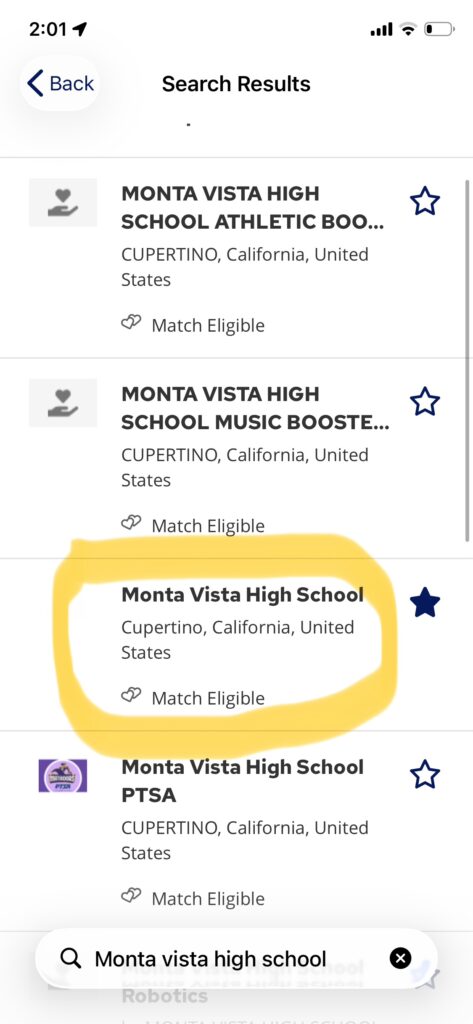
2. Search for “Monta Vista High School” NOT MV Athletic Boosters
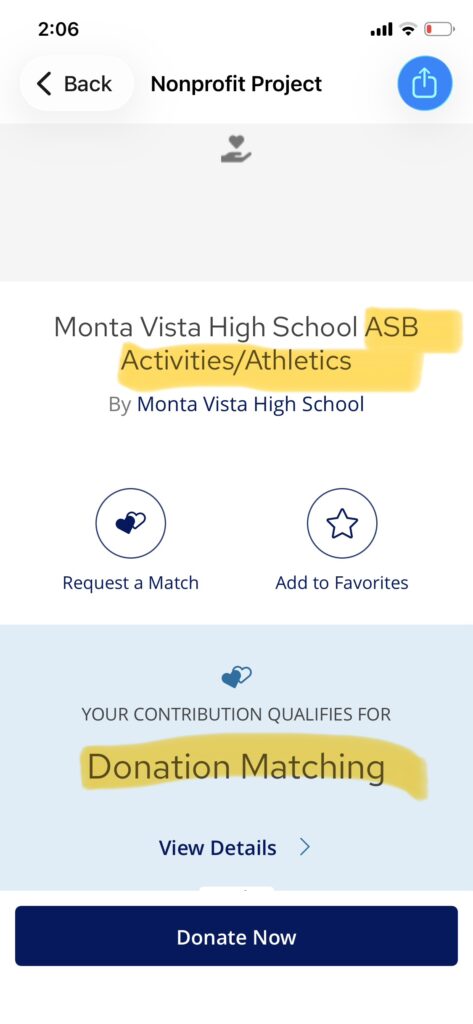
3. Click on “Monta Vista High School” and select the tab below called “ASB Athletics”
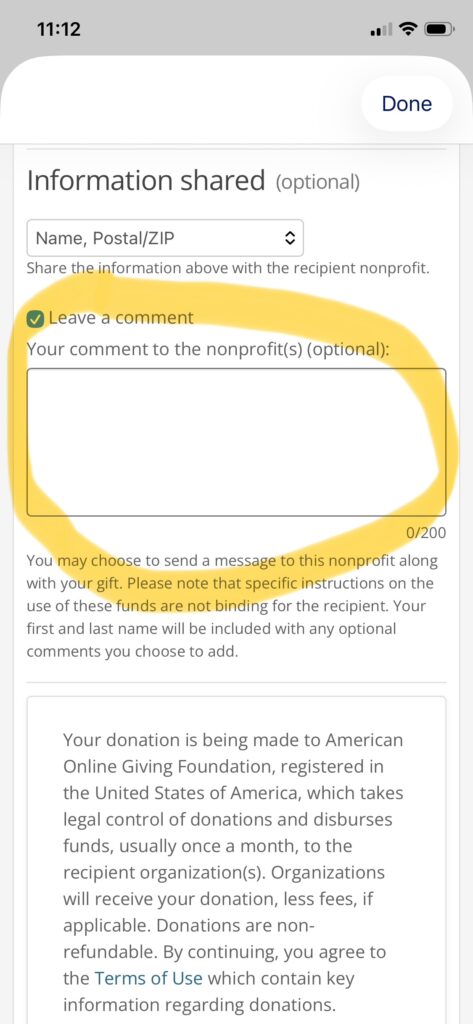
4. Enter your donation amount and in the comment field *specify that your funds be directed to cross country*
That should do it!
There are screen shots attached.
Thank you very much to Jane Snyder (Eva Huang’s mother) who patiently and tenaciously worked with me and MVHS administration to figure this out. It was…not as simple as the above four steps make this look, and I have so much gratitude and appreciation for Jane’s willingness to support this team!
TOP LEVEL SEARCH
SELECT ASB ACTIVITIES/ATHLETICS
SPECIFY MONTA VISTA CROSS COUNTRY